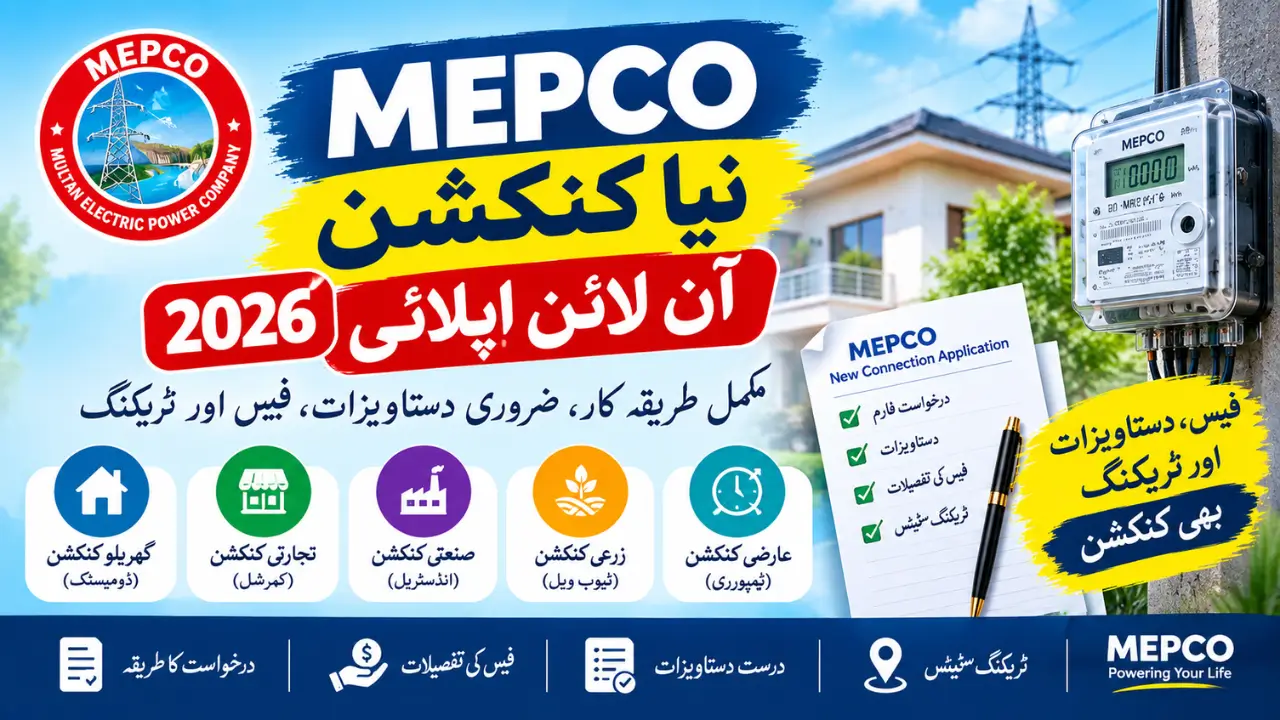
Getting a MEPCO New Connection is important when you move into a new house, build a property, open a shop, or need a separate electricity meter. The process may look complicated at first, but it becomes much easier when you know which documents to prepare, how to submit the application, how the Demand Notice works, and where to check your application status.
MEPCO provides electricity services to consumers in several areas of Punjab.For a new electricity connection, applicants generally need to provide personal information, property details, the required supporting documents, and information about the expected electrical load.
What Is a MEPCO New Connection?
A MEPCO new connection is a new electricity supply and meter installed at a property by the Multan Electric Power Company.
You may need a new connection if:
- You have built a new house.
- You have purchased a property without an active electricity meter.
- You are opening a shop or office.
- You need a separate meter for a commercial property.
- You require electricity for agricultural or tube-well use.
- You need a temporary connection for a specific purpose.
- Your property needs a new connection instead of using an existing meter.
After the application is approved and the meter is installed, the consumer receives the necessary billing details for future electricity bills.
Who Can Apply for a New MEPCO Connection?
Different types of consumers can apply for a new MEPCO electricity connection.
These may include:
- Homeowners
- Property owners
- Tenants with the required owner authorization
- Shop and business owners
- Commercial property owners
- Industrial units
- Farmers requiring agricultural or tube-well connections
- Applicants requiring temporary electricity for construction or other approved purposes
The exact requirements can vary according to the connection category, property status, load, and local MEPCO requirements.
Types of MEPCO Electricity Connections
Before applying, you should understand which type of connection you need.
Domestic Connection
A domestic connection is normally used for houses, apartments, and other residential properties.
The approved connection type can depend on the electrical load required at the property. MEPCO may determine whether a single-phase or three-phase arrangement is appropriate based on the application and technical assessment.
Commercial Connection
Commercial connections are used for places such as:
- Shops
- Offices
- Restaurants
- Clinics
- Schools
- Markets
- Other business premises
The required load and technical requirements can affect the connection category and total charges.
Industrial Connection
Industrial connections are intended for factories, manufacturing units, and other businesses requiring higher electrical loads.Applicants with large power requirements should discuss their load requirements with the relevant MEPCO office before completing the application.
Agricultural or Tube-Well Connection
Farmers may apply for an electricity connection for agricultural purposes, including tube-well operations.
Because these connections can require higher loads and additional technical arrangements, the application may involve additional verification.
Temporary Connection
A temporary connection may be required for construction work, events, exhibitions, or other short-term electricity needs.The conditions and duration depend on the applicable MEPCO requirements.
Also Read : MEPCO Bill Calculator 2026
Documents Required for a MEPCO New Connection
Having your documents ready before starting the application can help reduce delays.
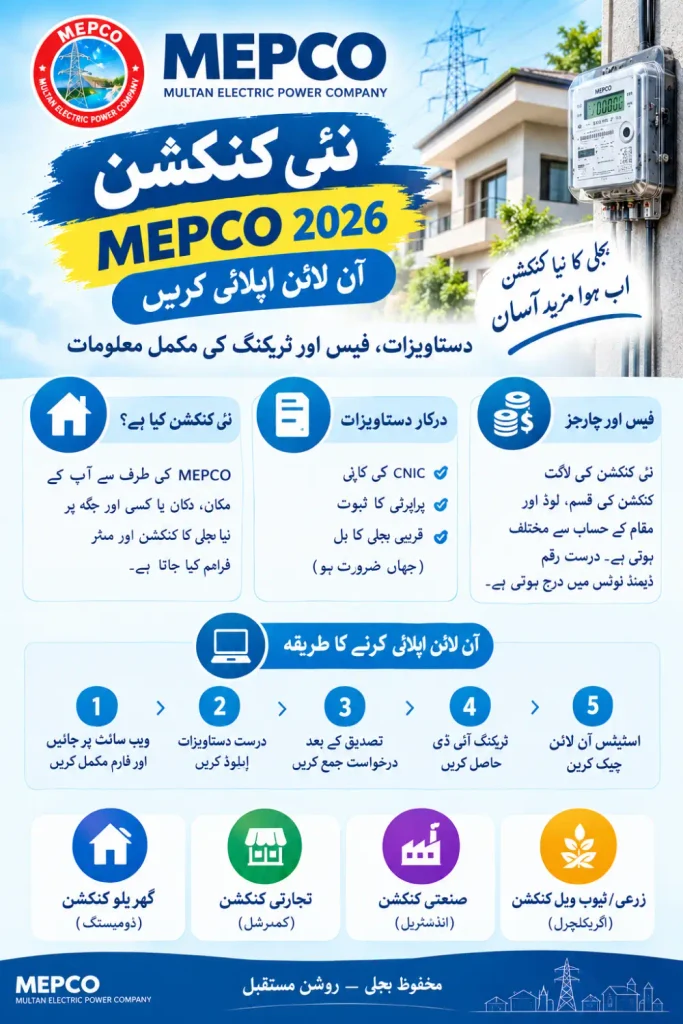
Commonly requested documents include:
CNIC Copy
Provide a clear copy of the applicant’s Computerized National Identity Card.
Make sure the information on the CNIC matches the details entered in the application.
Property Ownership Proof
You may need a document showing your legal connection with the property, such as:
- Registry
- Sale deed
- Allotment letter
- Transfer document
- Other acceptable ownership proof
Tenant NOC
If the property is rented, an authorization or No Objection Certificate (NOC) from the property owner may be required.The landlord’s identification documents may also be requested.
Witness Documents
Depending on the connection category, witness CNIC copies or other supporting information may be required.
Neighbor’s Electricity Bill
A recent electricity bill from a nearby active connection may be requested for location or distribution information.
Wiring Test Report
A wiring test report may be required to confirm that the property’s electrical wiring meets the applicable safety requirements.
Power of Attorney
If a property has multiple owners or an authorized person is applying on behalf of the owner, additional authorization documents may be required.
Important Note
The exact document list can vary according to your connection type and application. Always follow the document requirements shown on the current official application system.
How to Apply for a MEPCO New Connection Online
The new connection application process is designed to collect your personal details, property information, connection category, load requirements, and supporting documents.
The official application system and available methods can change, so applicants should check the current MEPCO/ENC instructions before submitting an application.
Step 1: Open the New Connection Application System
Start by visiting the official electricity new connection system or the currently approved MEPCO application method.
Use the official platform rather than an unknown third-party website.
Step 2: Select MEPCO
If the application system asks you to select your electricity distribution company, choose:
Multan Electric Power Company (MEPCO)
Step 3: Select Your Area
Enter or select the relevant:
- City
- Circle
- Division
- Sub-Division
- Urban or rural area, where applicable
Choosing the correct area is important because your application is processed by the relevant MEPCO office.
Step 4: Choose Your Connection Category
Select the category that matches your requirement, such as:
- Domestic
- Commercial
- Industrial
- Agricultural
- Temporary
- Other available categories
Step 5: Enter Applicant Information
Enter your information carefully.
This may include:
- Full name
- Father or husband name
- CNIC number
- Mobile number
- Citizenship
- Present address
Your name and CNIC information should match your official documents.
Step 6: Enter Property Details
Provide the complete address of the property where you want the new meter.
Check the address carefully before submitting the application because incorrect or incomplete information can cause verification problems.
Step 7: Enter Load Information
Select the electrical load according to your expected requirements.
Think about the appliances or equipment you plan to use, such as:
- Fans
- Lights
- Refrigerator
- Water pump
- Air conditioner
- Washing machine
- Geyser
- Machinery
- Other electrical equipment
Do not select a load randomly. If you are unsure, confirm the appropriate requirement with the relevant MEPCO office.
Step 8: Upload Required Documents
Upload clear copies of the documents requested by the application system.
Before uploading, make sure:
- Text is readable.
- CNIC details are visible.
- Property documents are clear.
- Files are in the accepted format.
- File sizes meet the portal’s current limits.
Step 9: Review Your Information
Before clicking Submit, carefully check:
- CNIC number
- Applicant name
- Mobile number
- Property address
- Connection category
- Load
- Uploaded documents
Correct mistakes before submitting whenever possible.
Step 10: Submit the Application
After reviewing everything, submit the application.
You should receive an Application ID or Tracking ID according to the active system.
Save this number because it can be needed to check your application status later.
Can You Apply for a MEPCO Connection Offline?
If you need help completing the application, you can contact or visit the relevant MEPCO customer service or sub-division office.
Staff may guide you about the current application method, required documents, and verification process.
However, the actual application procedure can change over time. Therefore, confirm the currently available application method before relying on an older offline procedure.
MEPCO New Connection Tracking
After submitting your application, keep your Tracking ID/Application ID safe.
You can use the available official tracking system to check the progress of your application.
How to Check MEPCO New Connection Status
Generally, the tracking process involves:
- Open the official new connection tracking system.
- Select the relevant application type.
- Choose MEPCO.
- Enter your Tracking ID/Application ID or another accepted identification detail.
- Submit the search.
- Review the latest application status.
Depending on the system, you may see stages such as:
- Application Submitted
- Under Verification
- Site Survey
- Demand Notice Issued
- Payment Received
- Installation in Progress
- Connection Completed
If your application remains unchanged for an unusually long period, contact the relevant MEPCO office for assistance.
What Is a MEPCO Demand Notice?
A Demand Notice is an official payment document issued during the new connection process after the required application and technical checks have been completed.It normally contains information related to the amount payable for the connection.
The amount can depend on several factors, including:
- Connection category
- Approved load
- Meter requirements
- Service line requirements
- Security deposit
- Installation requirements
- Location
- Additional technical work
The Demand Notice amount should be treated as the final amount for your particular application rather than relying on an online estimate.
MEPCO New Connection Fees 2026
There is no single fixed price for every MEPCO new connection.
The final cost can vary according to the connection type, load, location, service line requirements, meter type, security deposit, and other applicable charges.
For this reason, online figures should be treated as estimates only.
What Can Affect the Total Cost?
Your Demand Notice may include different components, such as:
- Security deposit
- Meter-related charges
- Service line cost
- Installation charges
- Store or processing charges
- Additional technical costs, where applicable
If additional poles, longer cables, network changes, or other technical work are required, the total amount may be higher.
Estimated Connection Cost
Because MEPCO charges can change, applicants should not assume that an older fee table is still valid.
The safest approach is to check the amount shown on your official Demand Notice after the application has been processed.
How to Pay the MEPCO Demand Notice
Once your Demand Notice is issued, carefully read the payment instructions printed on it.
Use only the payment channels currently authorized for your Demand Notice.
After payment:
- Keep the original payment receipt safe.
- Take a clear photo or copy of the receipt.
- Follow any instructions provided by MEPCO for submitting payment confirmation.
- Continue checking your application status.
Do not throw away the paid Demand Notice or bank receipt until your connection has been installed and activated.
You Can Also Read : MEPCO Online Bill Check
How Long Does a MEPCO New Connection Take?
There is no single installation time that applies to every application.
The processing period can depend on:
- Connection category
- Load requirement
- Document verification
- Site survey
- Technical feasibility
- Availability of equipment
- Service line requirements
- Local workload
- Payment verification
Some applications may move quickly, while others can take longer when additional technical work or verification is required.
Instead of relying on a fixed number of days, applicants should track their application through the official system and contact MEPCO if the application remains pending.
What Happens After Demand Notice Payment?
After the Demand Notice has been paid, the application can move toward the installation stage.
The process may include:
Payment Verification
MEPCO verifies that the required Demand Notice payment has been received.
Technical and Wiring Verification
The relevant staff may verify the wiring and other technical requirements.
Work Order or Installation Processing
After the required approvals, the application moves forward for material arrangement and installation.
Meter Installation
MEPCO staff install the meter and required connection equipment at the approved property.
New Reference Number
After the connection becomes active, the consumer receives the billing information needed for future electricity bills.
Common Reasons for MEPCO New Connection Delays
Sometimes an application takes longer than expected.
Common reasons may include:
Incorrect Information
A wrong CNIC number, applicant name, mobile number, or property address can create verification issues.
Missing Documents
If a required document is missing or unclear, the application may not move forward.
Technical Problems
The property may require additional technical work before the connection can be installed.
Site Verification Delay
A delay in the site survey or verification process can affect the overall timeline.
Payment Verification
If the Demand Notice payment has not been confirmed, installation may not proceed.
High Workload
Local MEPCO offices may have a large number of applications, which can affect processing time.
Tips for a Smooth MEPCO New Connection Application
Follow these simple tips before submitting your application:
- Keep your CNIC information ready.
- Prepare clear property ownership documents.
- Use the correct mobile number.
- Enter your address carefully.
- Select the correct connection category.
- Estimate your electrical load properly.
- Upload readable documents.
- Keep your Tracking ID safe.
- Save a copy of your submitted application.
- Keep the paid Demand Notice receipt.
- Check your application status regularly.
- Use official MEPCO or government channels for important updates.
MEPCO New Connection for Tenants
Tenants may need additional authorization from the property owner before applying for a new electricity connection.If you are renting a house, shop, or other property, prepare the relevant tenancy and owner authorization documents before starting the application.The exact requirements can depend on the current MEPCO application procedure and connection category.
MEPCO New Connection for Commercial Properties
Business owners may need a commercial electricity connection when opening a:
- Shop
- Office
- Restaurant
- Clinic
- School
- Workshop
- Factory
- Other business premises
Commercial applications can require additional information because the expected electrical load may be higher than a normal household connection.If your business uses heavy equipment or multiple high-power appliances, make sure the load requirement is properly assessed before applying.
MEPCO New Connection for Agricultural Tube Wells
Agricultural consumers who need electricity for tube-well operations can apply under the applicable agricultural category.
Because tube-well connections can involve higher electrical loads and additional infrastructure, applicants should check the current requirements with their local MEPCO office before submitting the application.
What If Your MEPCO Application Is Rejected?
If your application is rejected or returned, first check the reason shown in the application system or provided by the relevant MEPCO office.
Possible reasons may include:
- Missing documents
- Incorrect information
- Property-related issues
- Incorrect load selection
- Technical limitations
- Failed verification
- Other application requirements
Correct the issue and follow the instructions given by MEPCO before submitting or continuing the application.
Frequently Asked Questions
How can I apply for a MEPCO new connection in 2026?
You can start the application through the currently approved MEPCO or Electricity New Connection system. Select MEPCO, enter your personal and property information, provide the required load details, upload the requested documents, and submit the application.
What documents are required for a new MEPCO connection?
Common documents include a CNIC copy, property ownership proof, required authorization or NOC for tenants, witness documents where applicable, a nearby electricity bill, and wiring or technical documents when requested.
How can I track my MEPCO new connection?
Use the official application tracking system with your Tracking ID/Application ID or another accepted identification method. Keep your application number safe after submission.
What is a MEPCO Demand Notice?
A Demand Notice is an official payment document issued during the new connection process. It shows the amount and payment information applicable to your connection.
Are MEPCO new connection charges fixed?
No. The final amount can vary depending on connection category, load, location, meter requirements, service line work, security deposit, and other applicable charges.
How long does a MEPCO new connection take?
Processing time varies from one application to another. Document verification, site inspection, technical requirements, workload, equipment availability, and payment verification can all affect the timeline.
Can a tenant apply for a MEPCO new connection?
A tenant may need written authorization or an NOC from the property owner. The exact requirements depend on the current MEPCO rules and application category.
What should I do if my application is delayed?
First check your application status online. If there is no progress for an extended period, contact the relevant MEPCO customer service center or sub-division office with your Tracking ID and supporting documents.